TEAM, INSIGHTS AND MORE
More good reviews, and hear about problems first
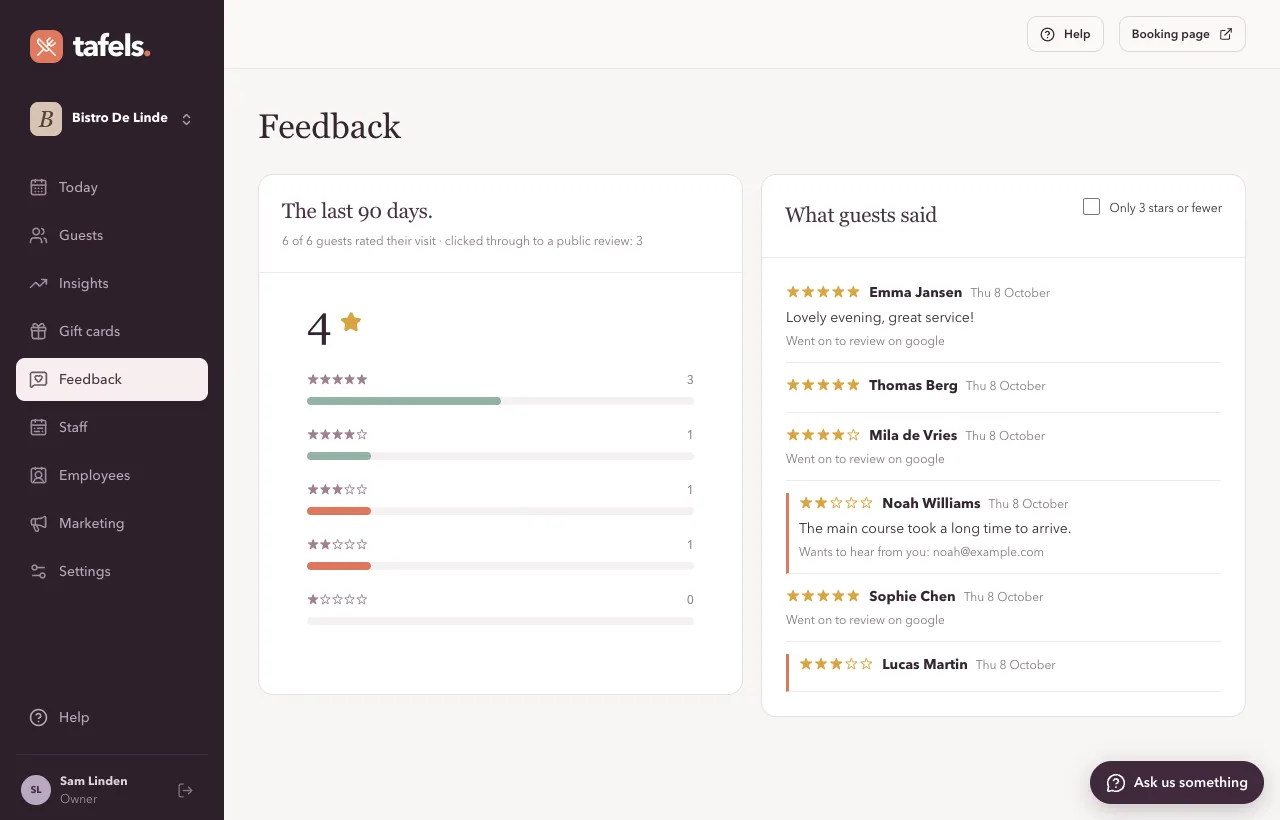
A star rating the day after the visit. Happy guests go to Google or TripAdvisor; others tell you first.
The day after their visit, guests get an email with five stars. One tap tells you how it was. Happy guests are invited to write a review on Google or TripAdvisor. Less happy guests are asked first what could have been better, so you can make it right.
- Switch on “Reviews & feedback” under Settings → Features (Starter and Premium).
- Under Settings → Reviews, choose when the email goes out and from how many stars guests see your feedback form first.
- Paste your Google review link (in your Business Profile, under “Ask for reviews”) and, if you have one, your TripAdvisor link.
Good to know
- Only guests your team marked as arrived, seated or done get the email, once per visit.
- Low ratings with a comment reach you straight away by email, and appear under Feedback.
- Everyone can still leave a public review: the links stay under the feedback form. Google and TripAdvisor don’t allow hiding them from unhappy guests, and can remove reviews or lower your ranking if you do.
- Guests can opt out with one click.