TEAM, INSIGHTS AND MORE
Design an email that looks like yours
Build your email from blocks, set your colours and fonts, check it on a phone and keep the design as a template.
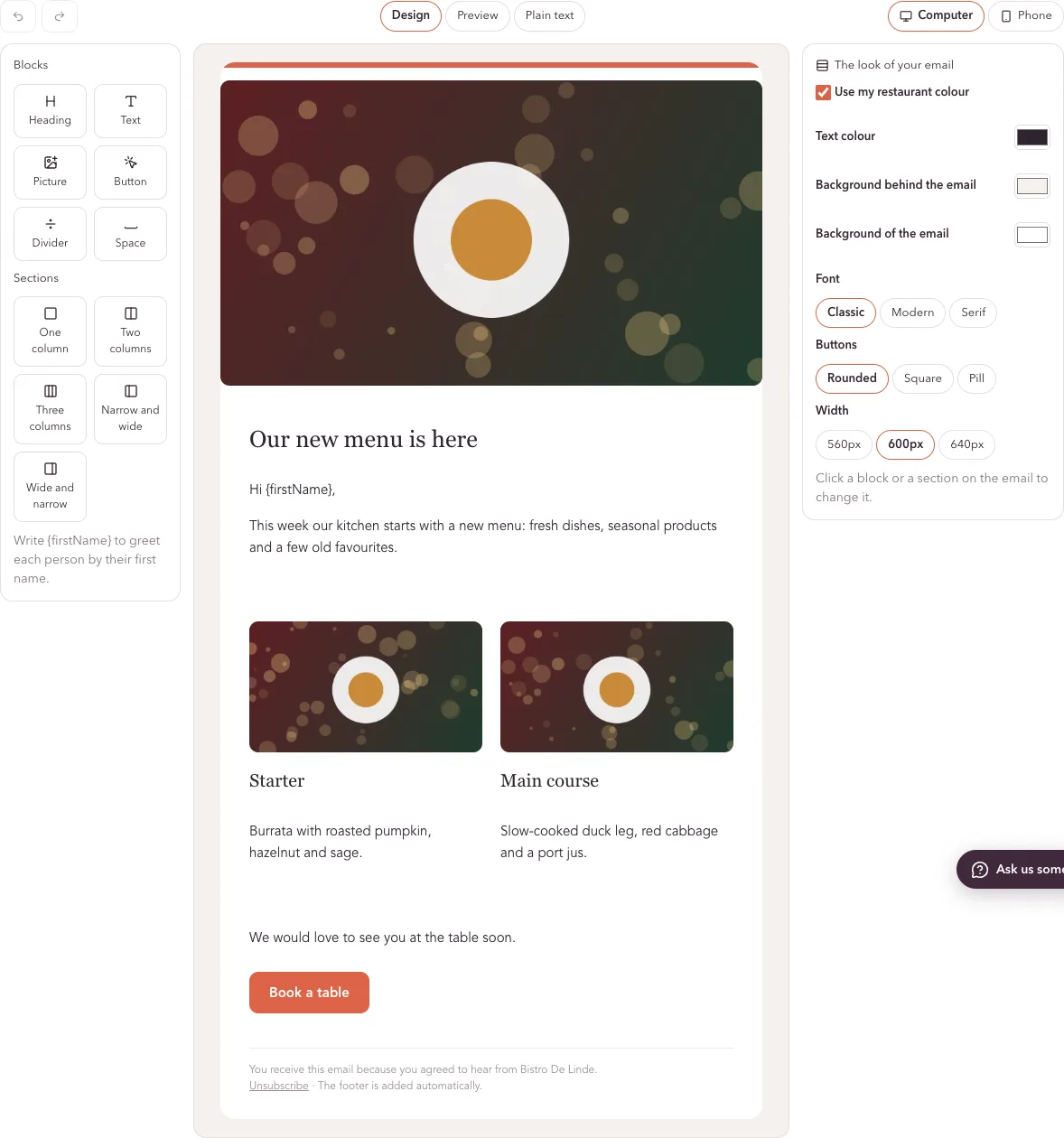
The email designer shows your email as it will look. Click a block or a section on the email to change it; the panel next to it shows the options for that part.
Build the email
- Open Marketing → Campaigns → New campaign and choose Start from a template. There are eight ready-made designs, such as a monthly update, an event and a new menu. Texts in [brackets] are examples: replace them.
- Under Blocks, add a heading, text, a picture, a button, a divider or space. Drag a block to move it, or use Move up and Move down.
- Under Sections, choose a layout: one column, two or three next to each other, or a wide one next to a narrow one. On a phone the columns stack automatically.
- Click a text to write in it. Make words bold or italic, add a bullet list or a link, and put {firstName} in the text to greet each guest by their first name.
- Choose a picture from your library or upload one, and describe it for people who use a screen reader. A picture never grows wider than its column.
- Under The look of your email, set your accent colour, background, font and width. Use my restaurant colour keeps it in line with your booking page.
Check it before you send
- Preview switches between Phone and Computer. Most guests read on a phone, so look at that one.
- Plain text is the version for mail apps that show no design. Some people only read this version, and inboxes use it to judge your email.
- Send a test mails the design to yourself or up to five colleagues, so you can see it in a real inbox.
- Ready to send? lists what still needs work, in plain words, before you can send.
Keep and reuse
- Under Save this design as a template you keep a design with a name. It appears under Templates for your next campaign.
- Undo and Redo work for every change while you edit, and Save draft keeps your work until you are ready.
- The footer with your restaurant name, address and the unsubscribe link is added for you. You cannot remove it, because the law requires it.
Keep it short: one heading, a few lines and one clear button work better than a long newsletter.