STAFF
A roster in minutes, not in a group chat.
Plan your team by the week, publish the roster and everyone sees their shifts on their phone straight away. Your team uses the Tafels Team app, or a personal link without an account.
Included in your 30-day free trial · +€20/month after that
- Drag shifts where you want them
- Your team sees the roster on their phones
- Know what the week costs
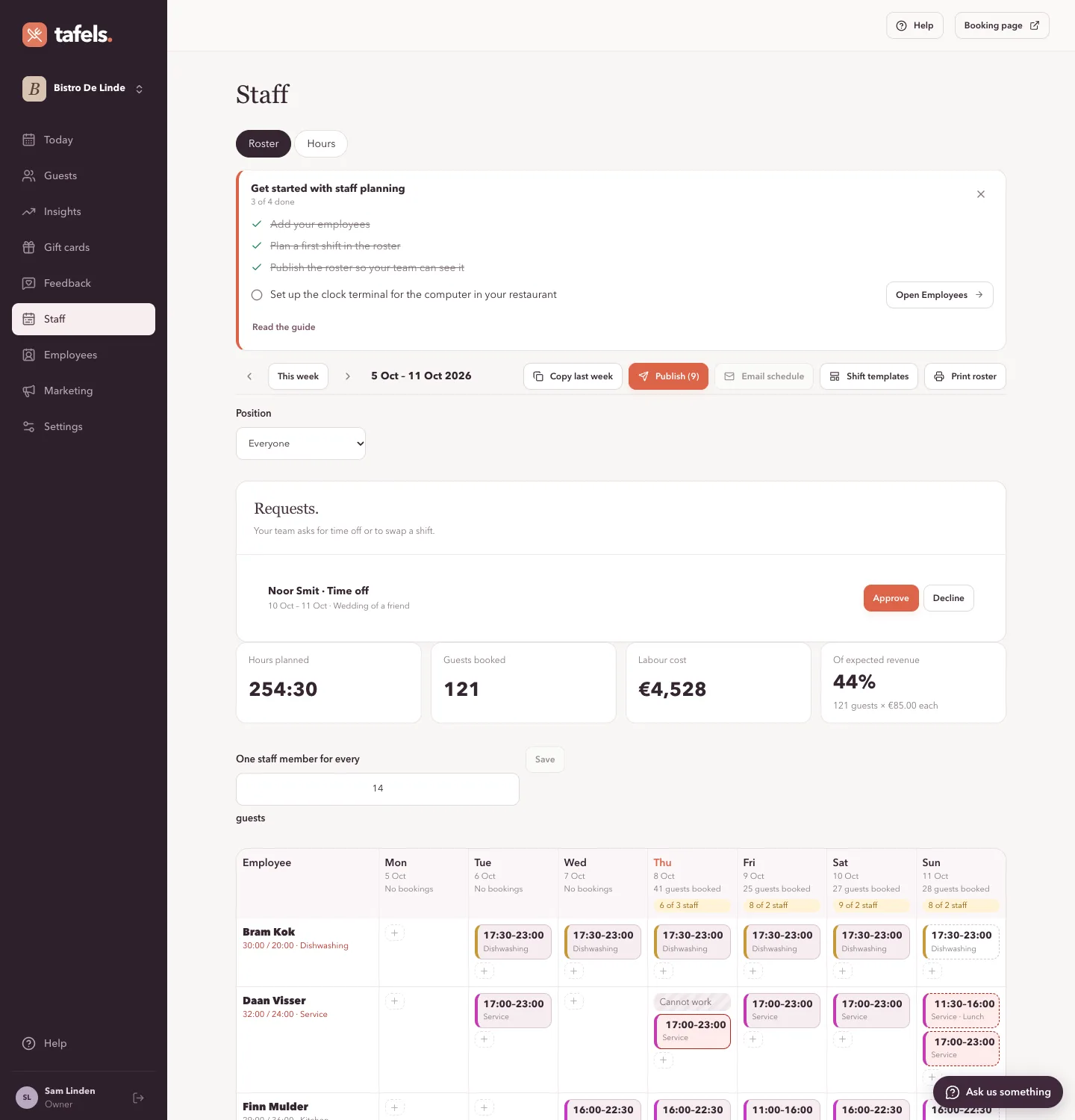
A roster that explains itself
A week at a glance, per employee and per day. Plan by dragging a shift to another day or colleague, and see at once what does not add up.
- Drag a shift to another day or another colleague. Hold Alt to copy it.
- Shifts from a template (Lunch, Dinner, Opening, Closing) in one click, or repeat a shift for the coming weeks.
- A warning for overlapping shifts, less than 11 hours of rest, or someone who cannot work that day.
- A colour per position, teams such as kitchen and floor to look at separately, and a roster that prints neatly on one page.
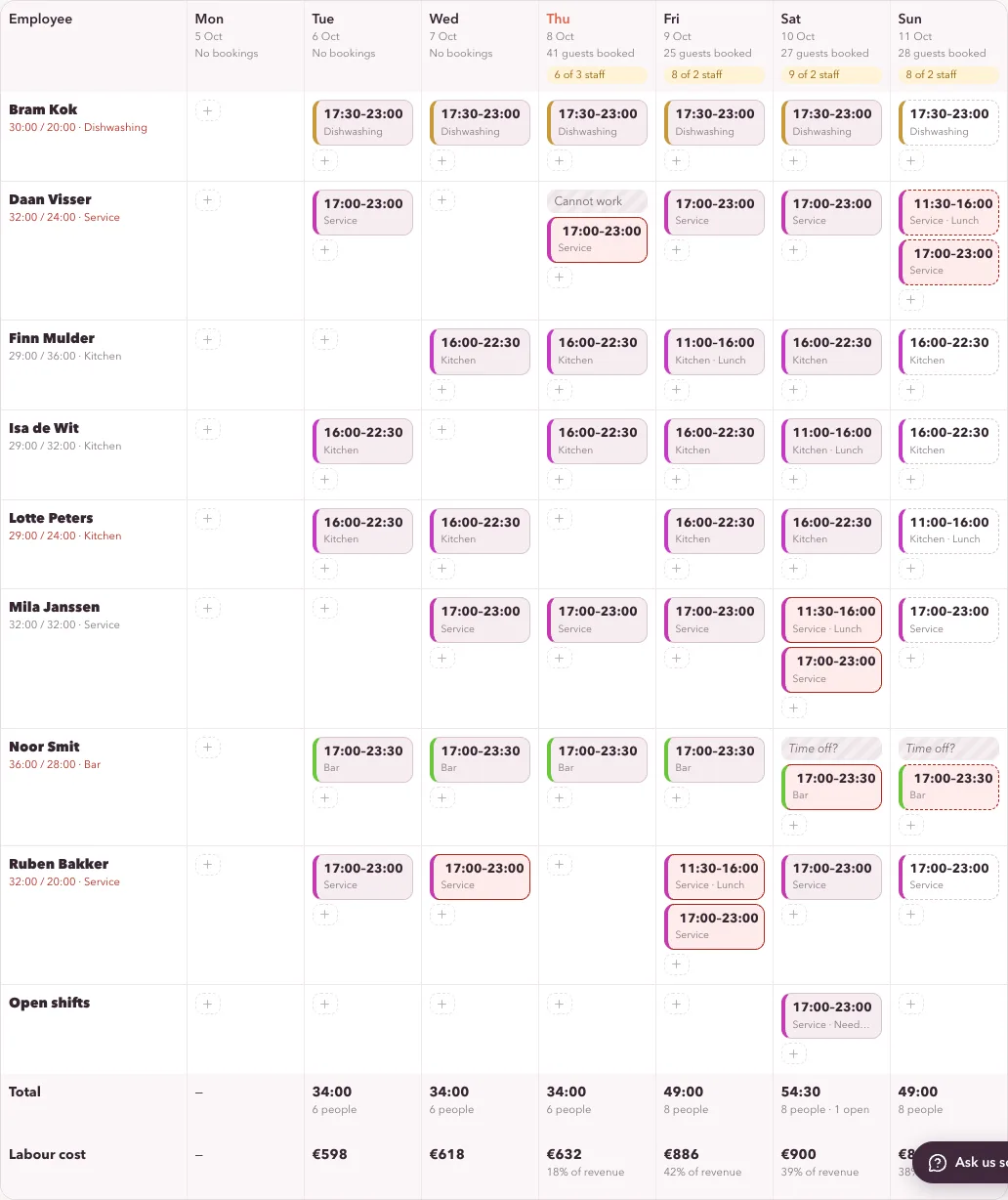
Know what it costs, and whether you have enough people
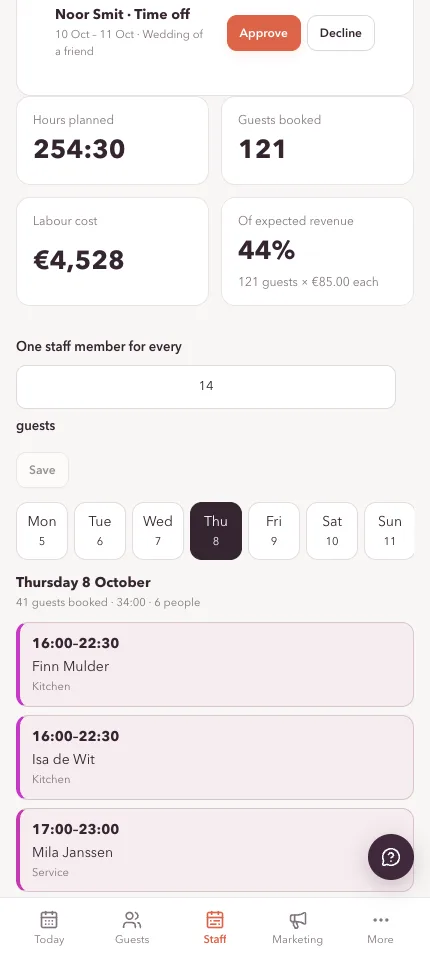
Each day shows how many guests are coming and how many people you planned. Each week shows the hours, the labour cost and what share of expected revenue that is.
- Every day says how much staff your bookings call for, and how many you planned.
- Cost per day and per week, and as a percentage of expected revenue.
- Hourly costs are visible only to you as the owner. Employees and team members never see them.
Your team has the roster on their phone
Publish the week and everyone sees their shifts in the Tafels Team app (iPhone and Android), or on a personal link you send by email or in a message.
- Employees give fixed days off and times, ask for time off or ask to swap a shift.
- You see requests in one list and approve them with a click.
- On the phone they clock in and out: the hours are already there.
- The app is optional: the personal link works without installing anything. A lost link is replaced with a click.
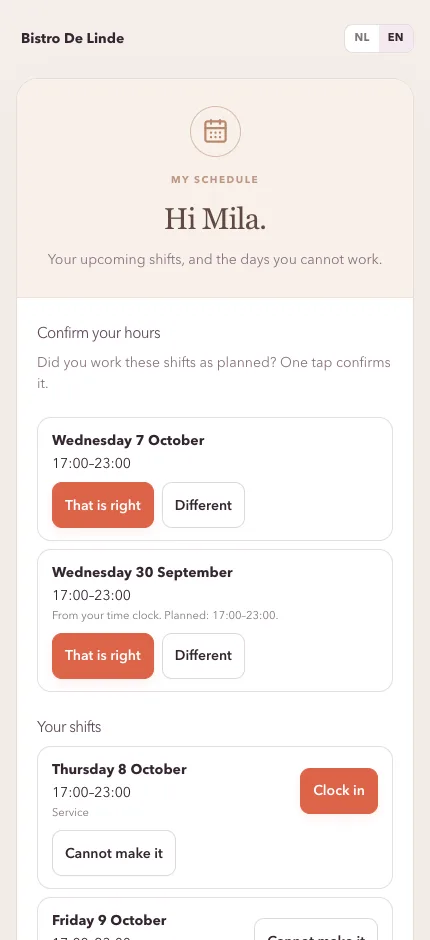
Hours without the hassle
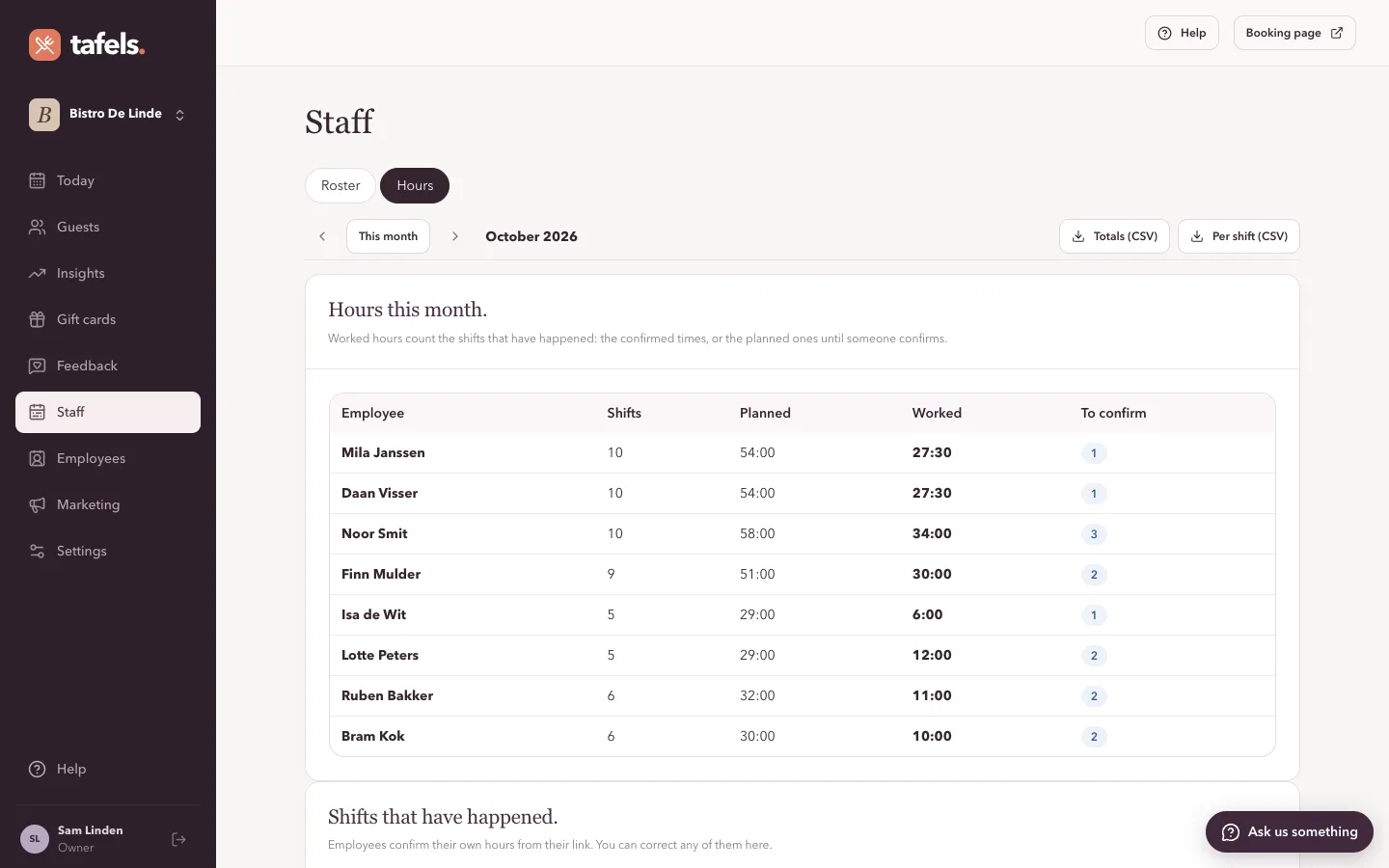
After a shift your employee confirms the hours with one tap, or adjusts them. At the end of the month you export everything for payroll.
- Clocking in fills in the hours worked; the employee still confirms them.
- Per employee and per month: planned, worked and still to confirm.
- Export as CSV, with a decimal comma for your accountant.
Getting new people started
Build a checklist of house rules and questions. A new colleague works through it in the app or on their own link, and you see who is done.
- Texts to read and tick off, and questions with a short answer.
- Answers, such as an emergency contact, are visible only to the owner.
- Start from our suggested list and make it yours.
A roster in three steps.
- 1Add your teamName, position and hourly cost. An employee without an email address works too: copy their link.
- 2Plan the weekDrag shifts, use templates or copy last week. The warnings help you.
- 3PublishEveryone gets the roster on their phone. Changes show straight away.
Careful with your people
Staff data is sensitive. That is why everyone sees only what they need.
- An employee sees their own shifts and, if you allow it, who else is working: names, times and positions only.
- Hourly costs, personal links and onboarding answers are for the owner only.
- Clocking in records times only, no location.
- Your data stays yours and is never sold. What we do with it is set out in our data processing agreement.
Questions.
Do my employees need an account or an app?
They can, but they do not have to. In the Tafels Team app (iPhone and Android) they sign in with their own account and get a notification when a new roster is published. Anyone who prefers not to uses a personal link that works on any phone, with nothing to install.
Can I send the hours to my payroll?
Yes, as a CSV file per month with the hours worked per employee. A direct link to payroll software does not exist yet.
What happens when someone cannot work?
Employees give fixed days off and times, or ask for a day off or a swap. In the roster you see a warning straight away if you plan someone at such a time.
What does it cost?
Staff planning costs €20 per month on top of Starter or Premium, and is included free in your 30-day trial.
Make your first roster today.
Step by step: Read the guide · Read the guide · Read the guide · Read the guide · Also: Email marketing