GETTING STARTED
Tickets: lunch, dinner and special evenings
Tickets are what guests book. Give each its own days, times, party sizes, limits and rooms.
A ticket is something guests can book: “Lunch”, “Dinner”, “Christmas menu” or “Chef’s table”. Each ticket has its own rules, and guests see the tickets that fit their date and party size.
Create a ticket
- Go to Settings → Tickets and choose New ticket.
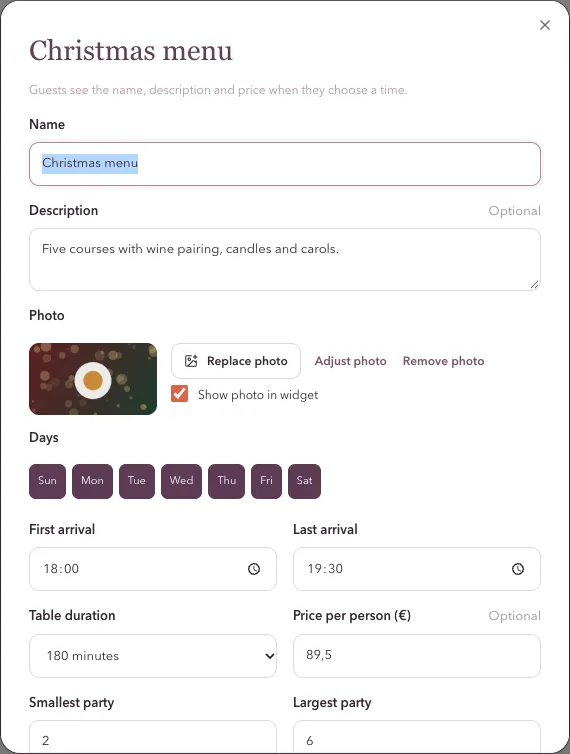
- Give it a name and, if you like, a description, a photo and a price per person. Guests see these when they choose a time.
- Pick the days, and the first and last arrival time. Guests can arrive every quarter of an hour in between.
- Set how long guests keep their table, and the smallest and largest party.
- Optionally limit the number of guests per arrival time or per day, or seat this ticket only in certain rooms.
- For a one-off event, fill in “Bookable from” and “Bookable until”.
Examples
- Lunch, Tuesday to Saturday, arrivals 12:00–14:00, 75 minutes.
- Christmas menu, 24–26 December, arrivals 18:00–19:30, three hours, at most 12 guests per arrival time.
- Terrace, only in the room “Terrace”, from May to September.
Switch a ticket off instead of deleting it: existing bookings keep it, and nobody new can book it.