GETTING STARTED
Moving over from another platform
Bring your reservation history to Tafels, and ask us when your platform is not in the list.
You do not start from zero. Your guests, their visits and your notes can come with you, so regulars are still recognised on day one.
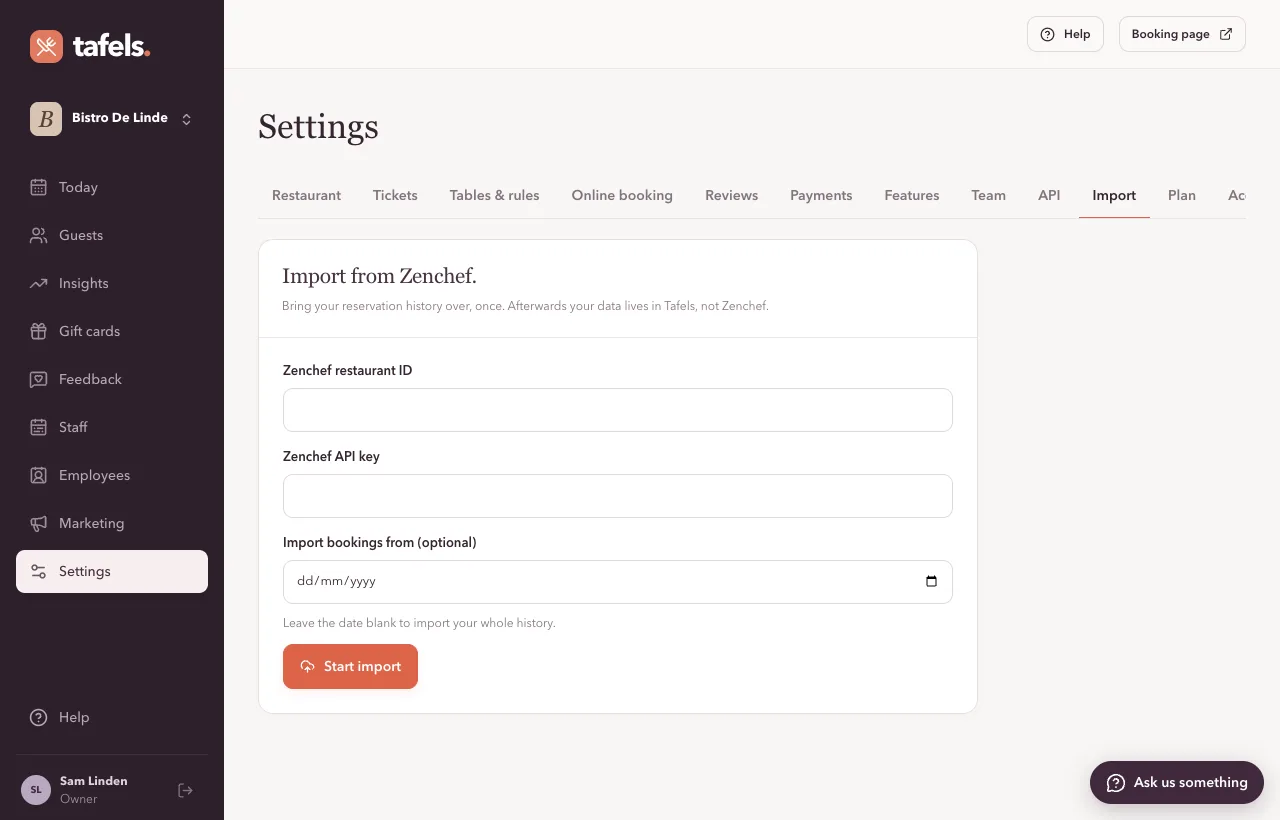
If you use Zenchef
- Open Settings → Import and enter your Zenchef restaurant ID and API key.
- Choose a date to import from, or leave it blank to bring your whole history.
- Press Start import. Tafels shows how many reservations were imported, how many were already there and which could not be placed.
- Run Import again whenever you want: reservations that are already in Tafels are skipped, so nothing is duplicated.
Another platform, or a spreadsheet
- Press Ask us something in the bottom right corner and choose Move my data from another platform. Tell us which platform you use and anything we should know.
- We reply by email, usually with what we need from you. You do not need to sign up first: the button is also on tafels.app.
- Switch over on a quiet day, keep your old booking link running until your own page works, then point your website and Google profile to Tafels.
Your data stays yours. After the import it lives in Tafels, and you can export your bookings at any time on a paid plan.