ONLINE BOOKING
Bookings from Google, Instagram and Facebook
Put your booking link where guests find you, and see which channel brings the most bookings.
Most guests find a restaurant on Google Maps or Instagram. Tafels gives you a separate booking link per channel, so you can see later where your bookings come from.
Set it up
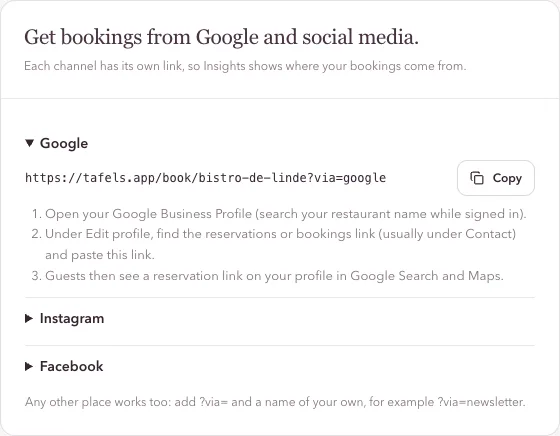
- Go to Settings → Online booking and scroll to “Get bookings from Google and social media”.
- Google: open your Google Business Profile, find the reservations or bookings link (usually under Contact) and paste the Google link.
- Instagram: Edit profile → Links → Add external link, and paste the Instagram link. Use the same link in stories with the link sticker.
- Facebook: add an action button to your page, choose a booking option such as Book now, and paste the Facebook link.
See what works
Insights shows your online bookings per channel, with the number of bookings and covers. Any other place works too: add ?via= and a name of your own to your link, for example ?via=newsletter.
Bookings through your website’s button or widget are counted as “website” automatically.