PAYMENTS AND REVENUE
Deposits and prepayment against no-shows
Ask an amount per guest when they book, paid by iDEAL or card straight into your own Stripe account.
Guests who have paid something show up. With deposits you ask an amount per guest for the tickets you choose, such as a busy Saturday or a set menu. You can also ask the full price in advance.
Set it up once
- Switch on “Deposits & prepayment” under Settings → Features.
- Go to Settings → Payments and choose Connect Stripe. Stripe asks for your business details and bank account; it takes about five minutes.
- Open a ticket under Settings → Tickets and fill in “Pay online per person”.
- Choose until when cancelling is free, for example until 24 hours before.
What happens
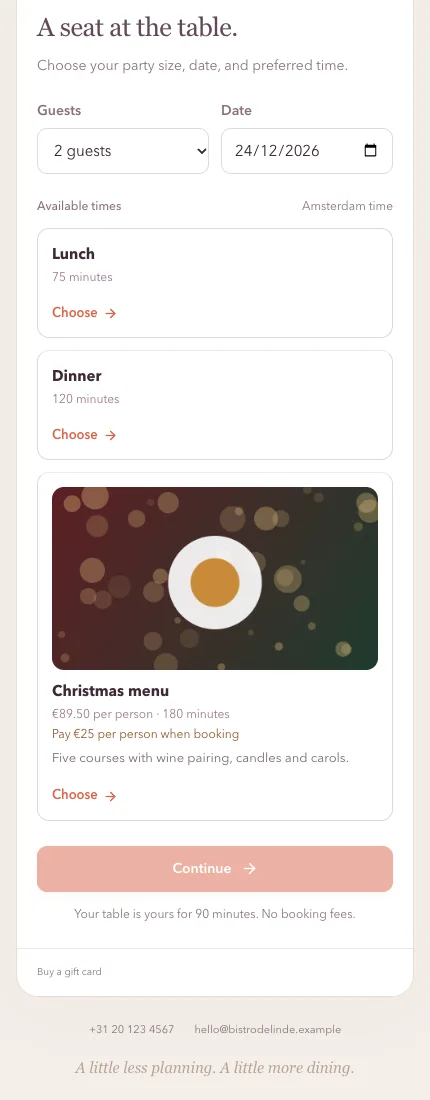
- The guest sees the amount when choosing a time, and pays on Stripe’s secure page. Their table is held for 30 minutes while they pay.
- Once paid, the booking is confirmed. Without payment it lapses and the table frees up.
- Guests who cancel in time get their money back automatically. Later cancellations and no-shows don’t.
- You can always refund by hand, from the booking’s details.
Costs
The money goes straight to your own Stripe account. Stripe charges its normal fee per payment. Tafels keeps 1% on Starter and nothing on Premium.