PAYMENTS AND REVENUE
Deals and voucher codes (Social Deal and more)
A ticket only reachable through its own link, where guests need a single-use code from the deal.
Sell a deal on Social Deal or a similar platform, and let those guests book it in Tafels, with their voucher code, without it showing on your normal booking page.
- Create a ticket for the deal under Settings → Tickets, for example “Social Deal: 3-course menu”, with the days and limits you agreed.
- Under “Who can book it”, choose “Only through its own link (deals)”, and tick “Guests need a voucher code”.
- Save the ticket. Its link appears: share it with the deal platform or put it in your confirmation to buyers.
- Paste the codes you got from the deal platform, one per line. Up to 5,000 at a time.
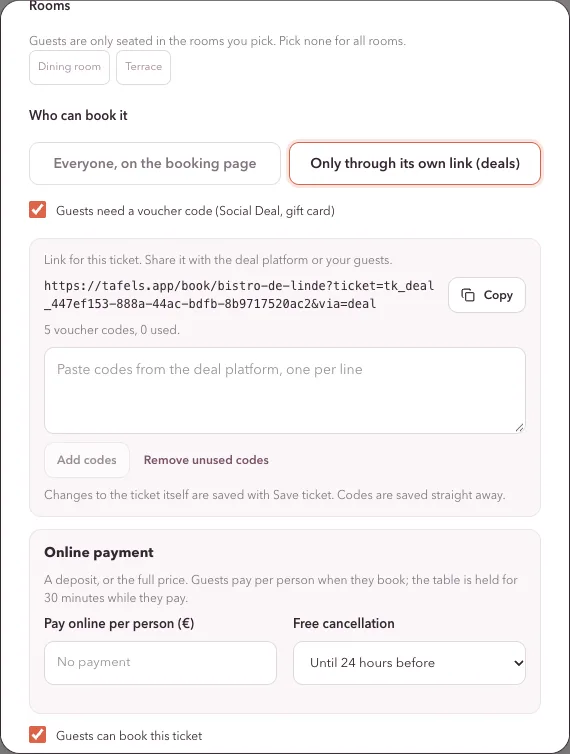
- Each code works for one booking. Capital letters, spaces and dashes don’t matter.
- If the guest cancels, the code can be used again.
- Staff can book a deal by phone without a code, or enter the code to use it up.
- The code shows in the booking’s details, and Insights counts deal bookings separately.
Limit deal guests per day or per arrival time, so they don’t fill your busiest evenings.